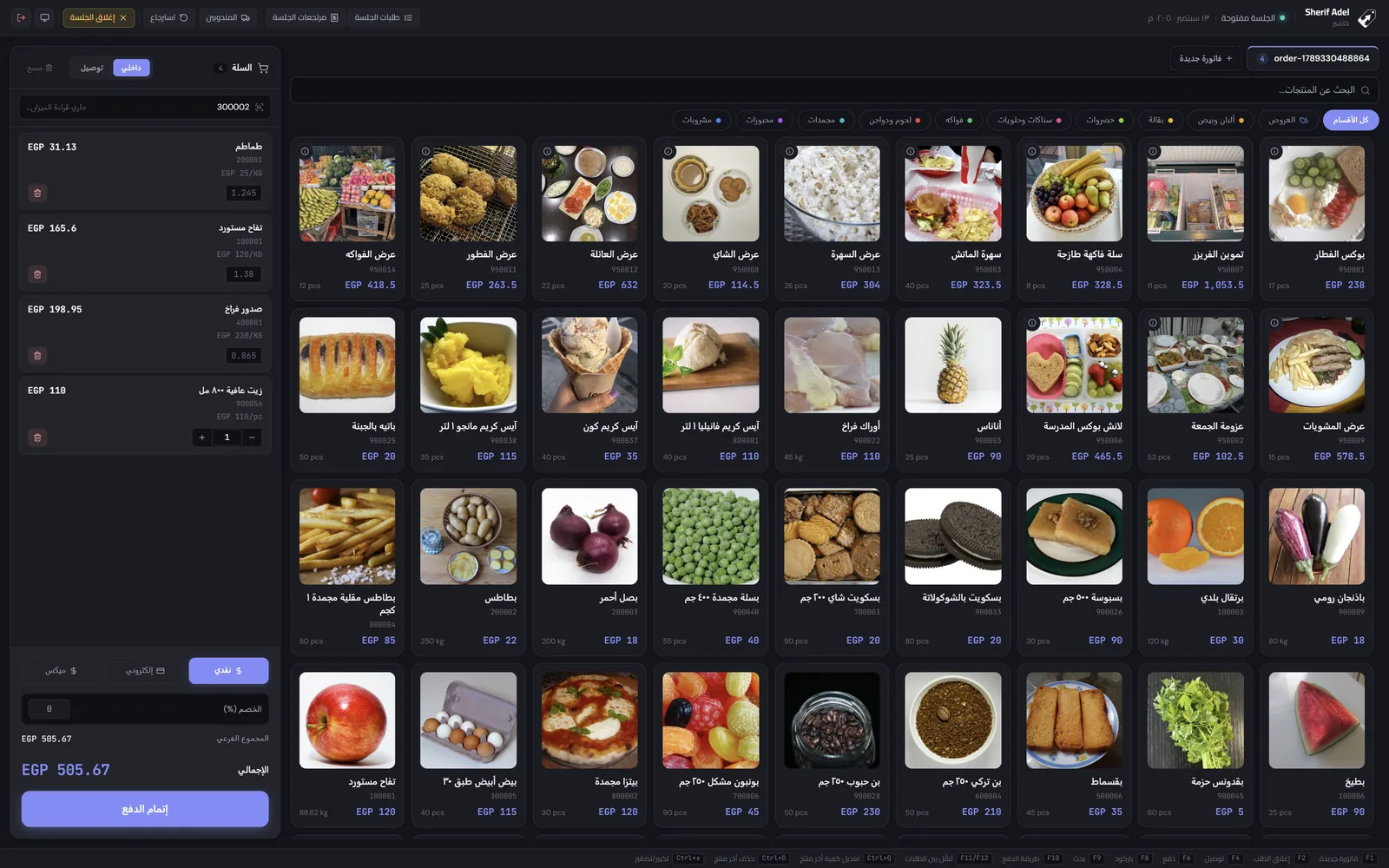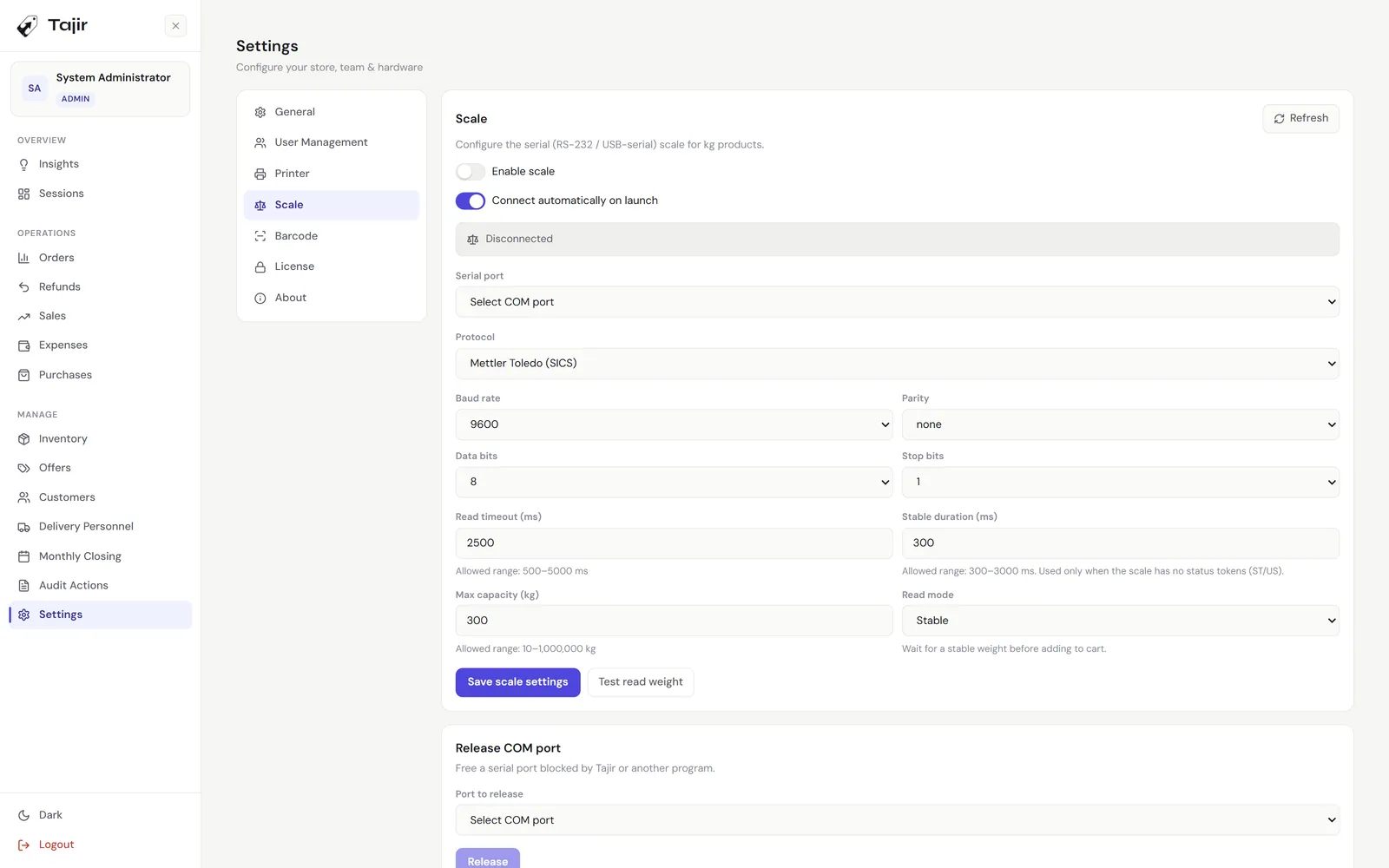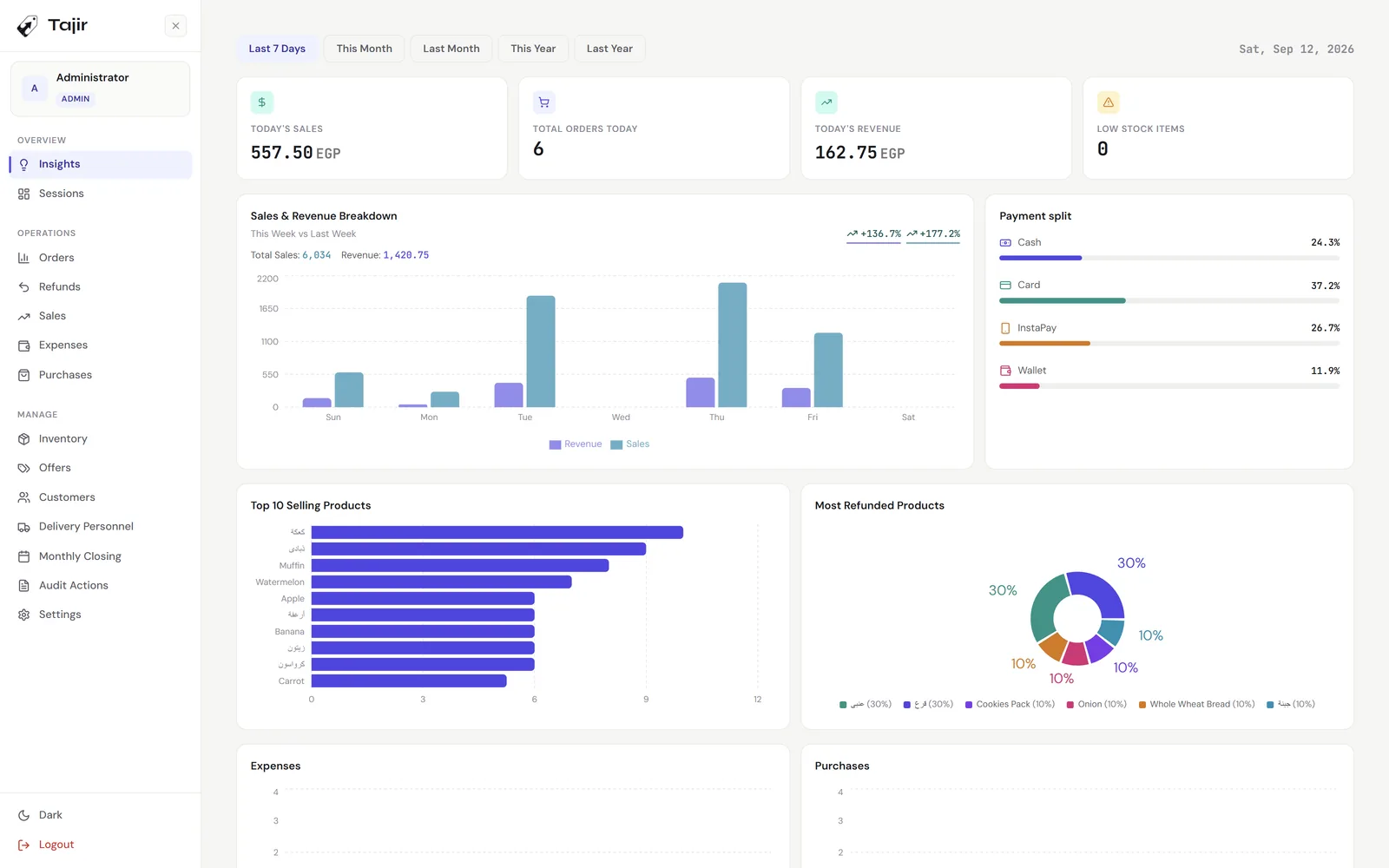
jadid.products

Softwarewe own.

Tools we build, ship, and operate ourselves. We pick problems we’d refuse to live with, and we ship the version we wished existed.

01Flagship · live · v1.5

Tajir

Point of sale, elevated.

A point of sale for shops, restaurants and anything sold by weight. Cashier, manager and owner each get their own permissions in one system. Windows tills at the counter share one database on your shop’s own network, so it keeps selling when the internet drops. Add the admin apps and you can watch it all from your phone. Buy it once.

Tajir owner dashboard: today’s sales, orders and profit, the payment-method split and the weekly sales chart.
20
feature modules
251
verified features
3
editions
EN / AR
full right-to-left
Capabilities

Everything a shop runs on, in one system.

01 / Checkout

Sell

Built for the rush at the counter.

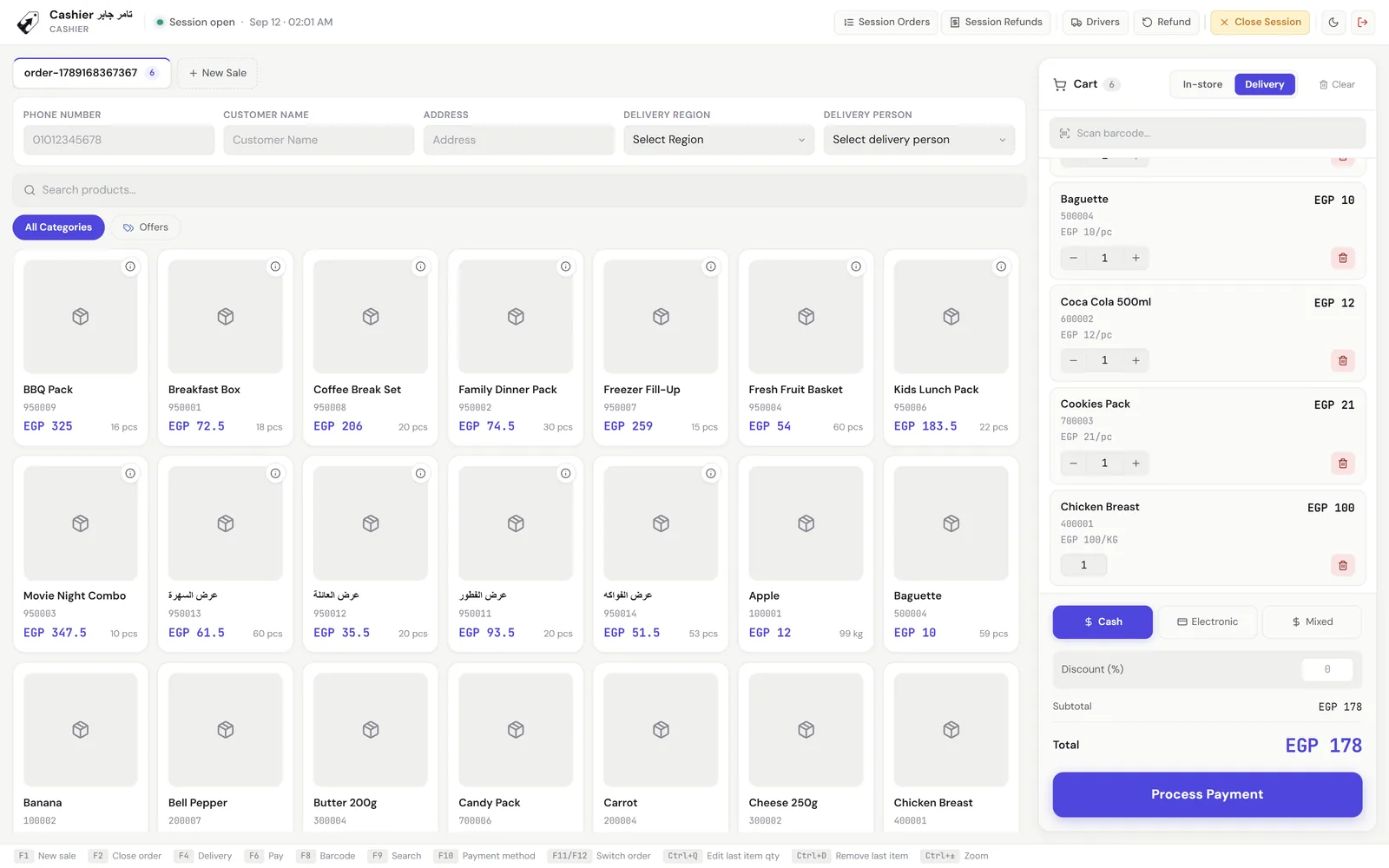
  • Scan a barcode or SKU, including scale labels that carry the weight inside the barcode.
  • Search that forgives Arabic spelling: ة and ه, ى and ي, أ and ا all match.
  • Up to five orders held open at once, switched with F11 and F12.
  • Cash, card, InstaPay, wallet, or cash plus one electronic method, with change worked out and reference numbers required.
  • Stock checked again at payment, so two tills can’t sell the last unit twice.
  • A full keyboard map: F1 new sale, F6 pay, F8 barcode, Ctrl+D removes the last line.
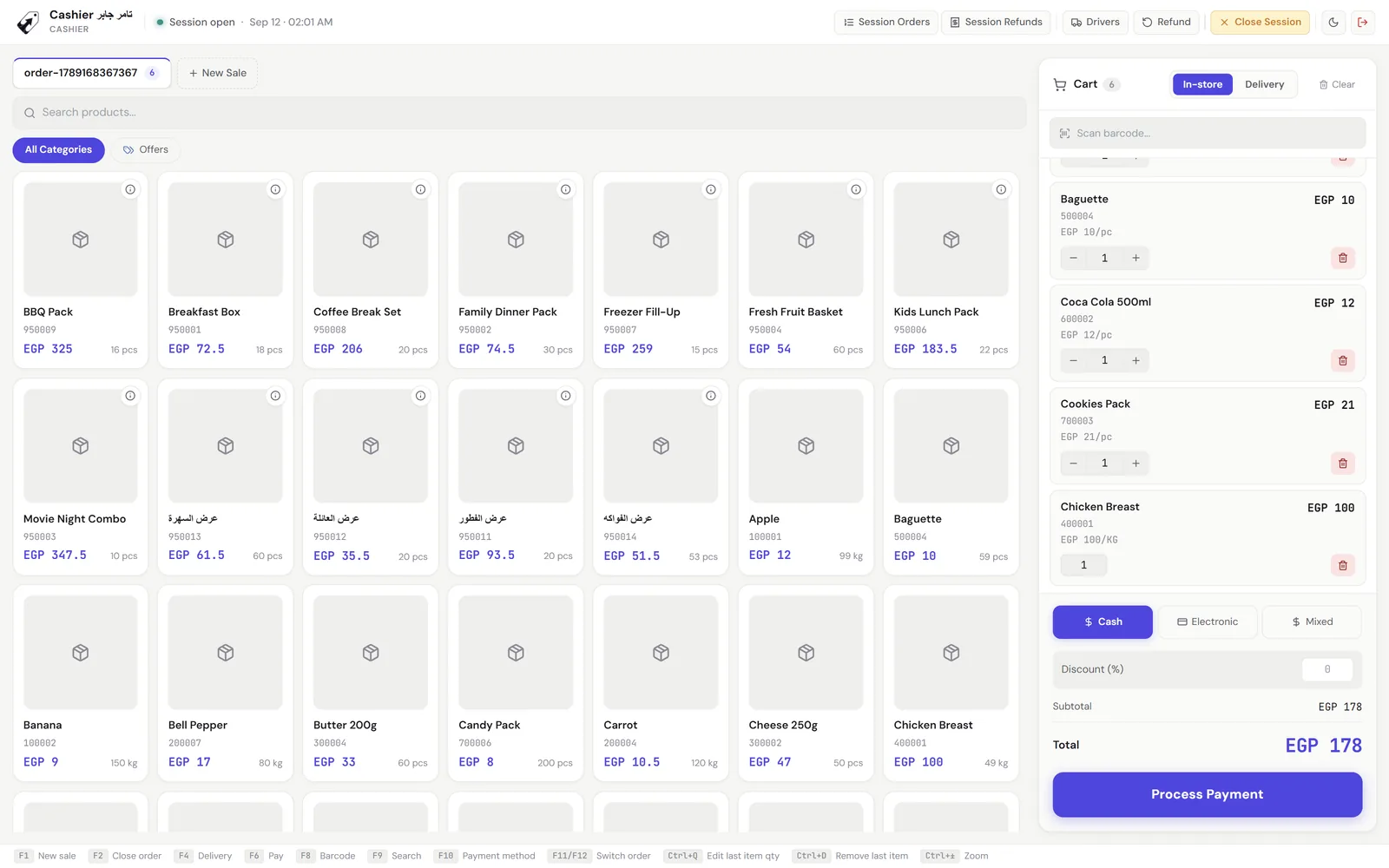
Tajir checkout: the product grid with prices and stock, and a filled cart with cash, electronic or mixed payment.
02 / Delivery

Delivery and customers

Phone number in, order out.

  • Type a phone number and the customer’s name and address fill themselves in.
  • New customers are saved automatically from their first delivery order.
  • Delivery regions with their own fee, and a driver assigned to every order.
  • Each customer’s order count and total spend, and order reports filtered by driver.
Tajir delivery order: customer phone, name and address, delivery region and driver above the product grid, with the cart beside it.
03 / Cash control

Shifts and sessions

Know which shift the money went missing on.

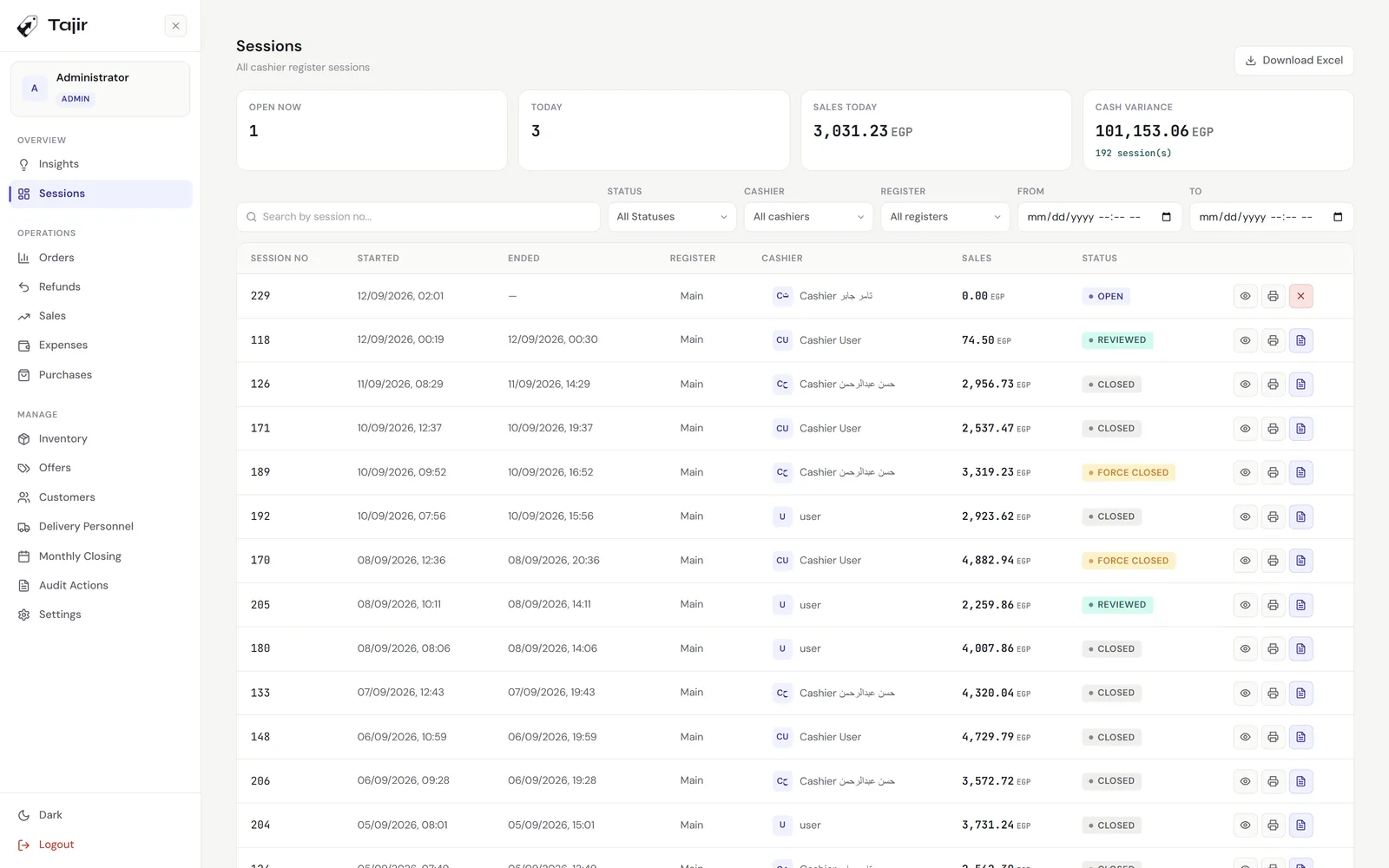
  • One open session per till and per cashier, enforced by the database itself.
  • Expected closing worked out per payment method, with the cash difference calculated for you.
  • Password to close, manager force-close with a note, and a manager review afterwards.
  • A printed closing receipt, and an Excel export of every session.
Tajir sessions list: open and closed register sessions with cashier, sales and review status.
04 / Approvals

Approvals and refunds

Nothing leaves the drawer without a name on it.

  • Discounts need a manager’s approval code, scanned or typed, up to a cap the owner sets.
  • Optionally, removing an item or clearing a cart needs approval too.
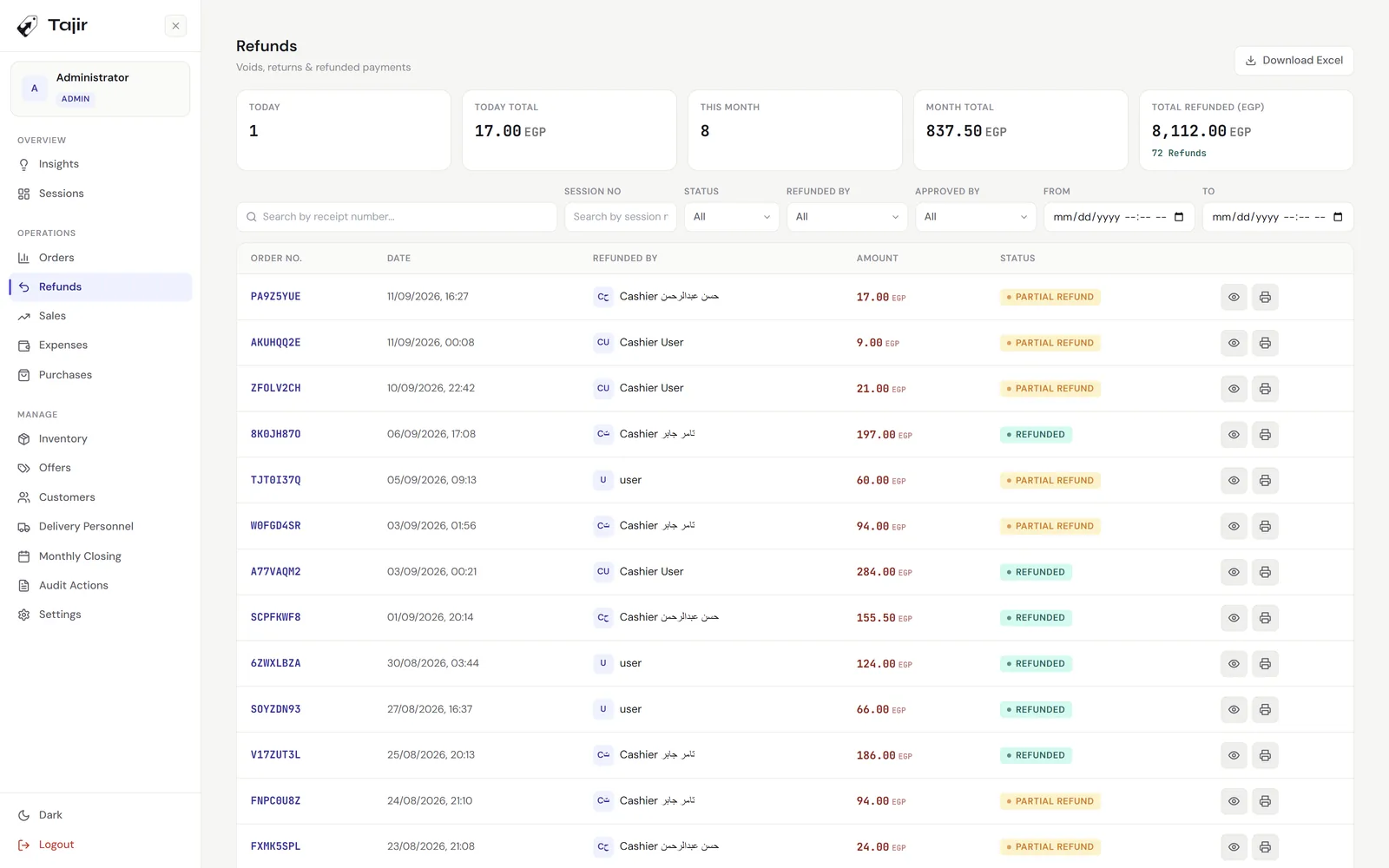
  • Item-level partial refunds, with a reason, an approver, and a choice to restock or write off.
  • A refund window you set, from 1 to 365 days, and a printed refund receipt.
Tajir refunds: today and month totals, then each refund with its order number, who processed it, the amount, and full or partial status.
05 / Stock

Inventory and offers

Stock that matches the shelf.

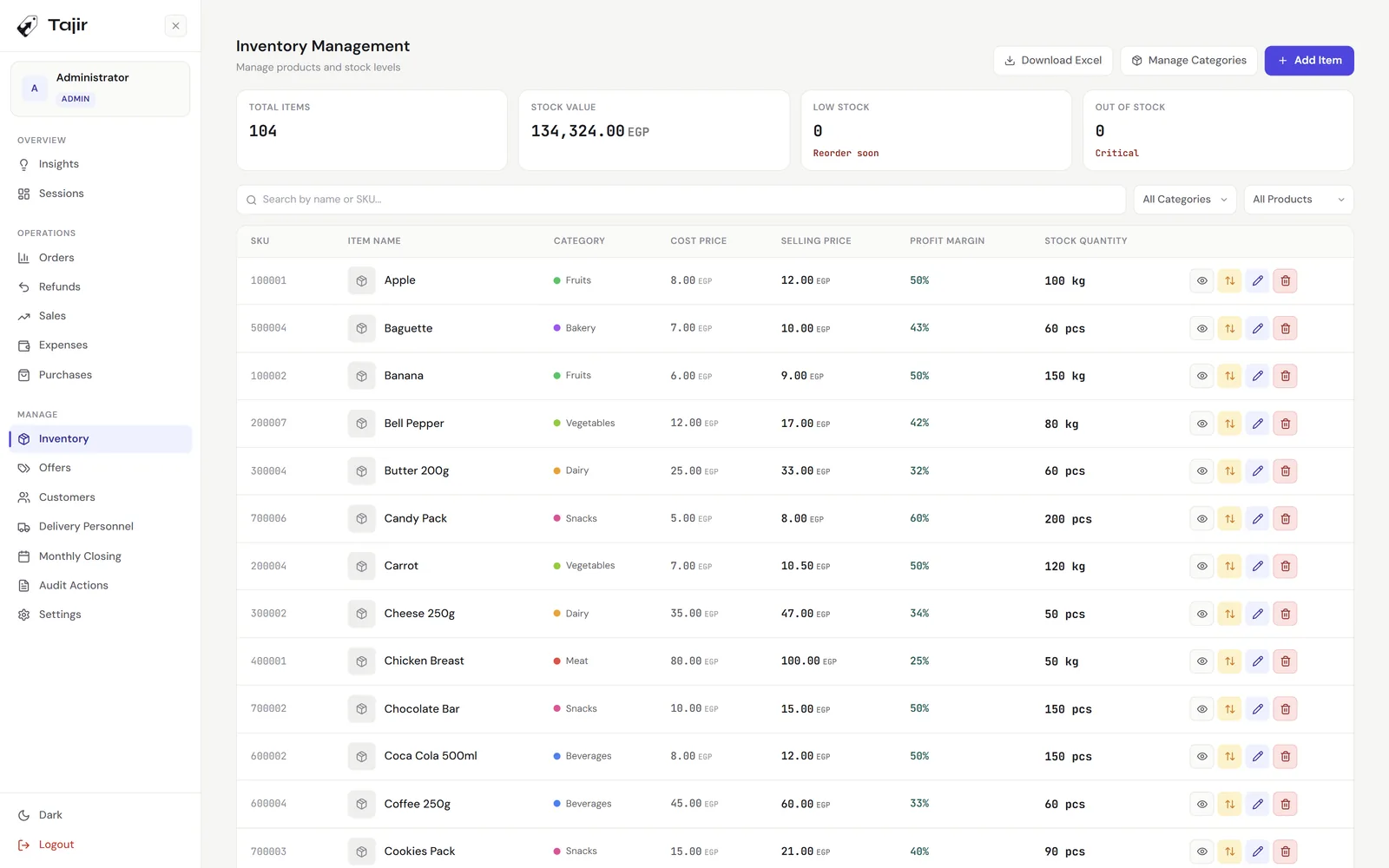
  • Cost, selling price and margin on every product, sold by the piece or by the kilo.
  • In stock, low, out and oversold, with a low-stock threshold you choose.
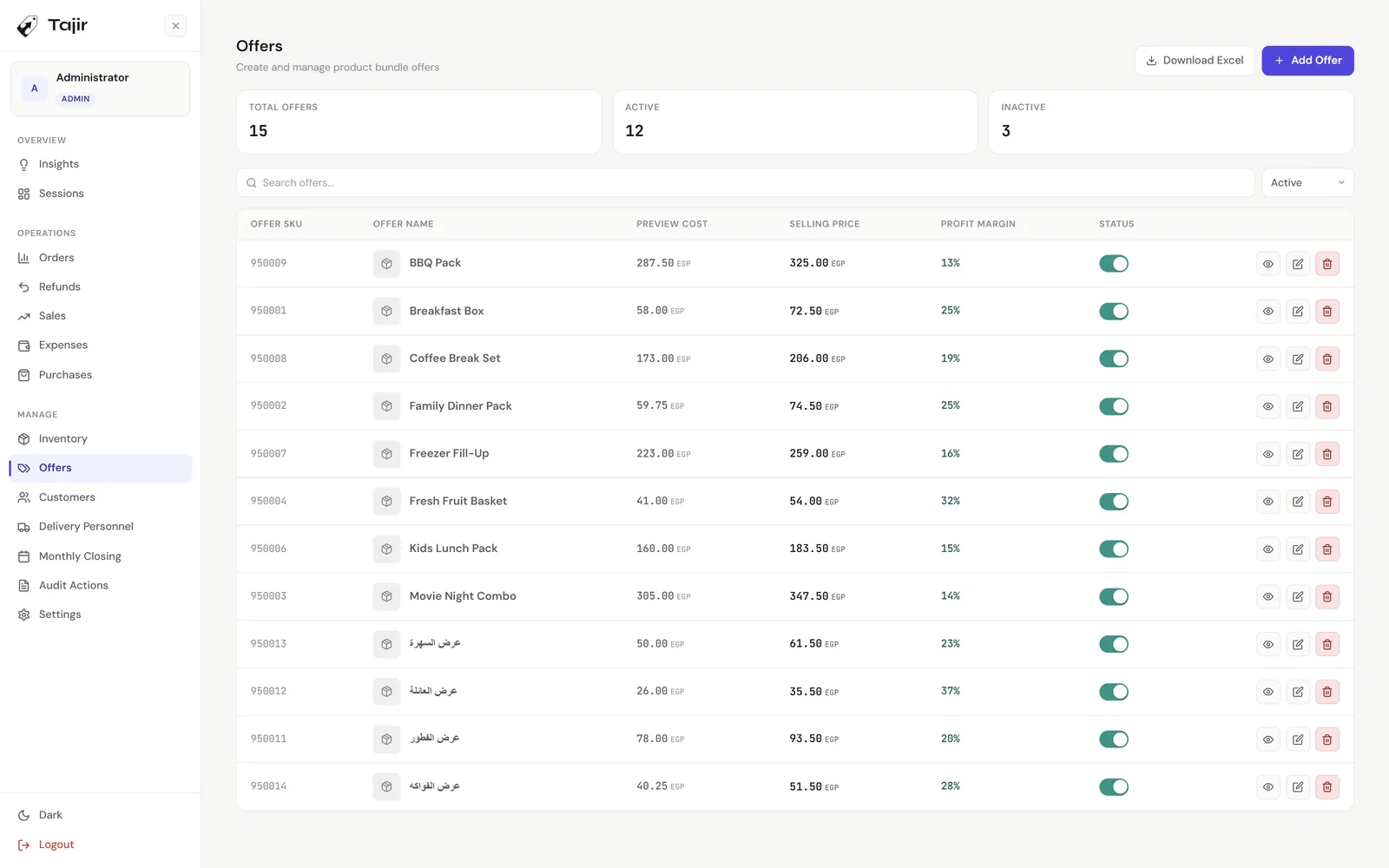
  • Bundle offers with their own price and barcode. Selling one takes each item in it out of stock.
  • Colour-coded categories, manual stock adjustments, and nothing with sales history can be deleted by mistake.
Tajir offers: bundle offers with their SKU, component cost, selling price, profit margin and an active switch.
06 / Supply

Purchases and expenses

Every price change has a paper trail.

  • Record a purchase and stock goes up, cost and selling price update, and the old values are kept.
  • A purchase that would make a product sell below cost is refused.
  • Suppliers on file, and deleting a purchase takes the stock back out.
  • Expenses by category, with this month’s total and an Excel export.
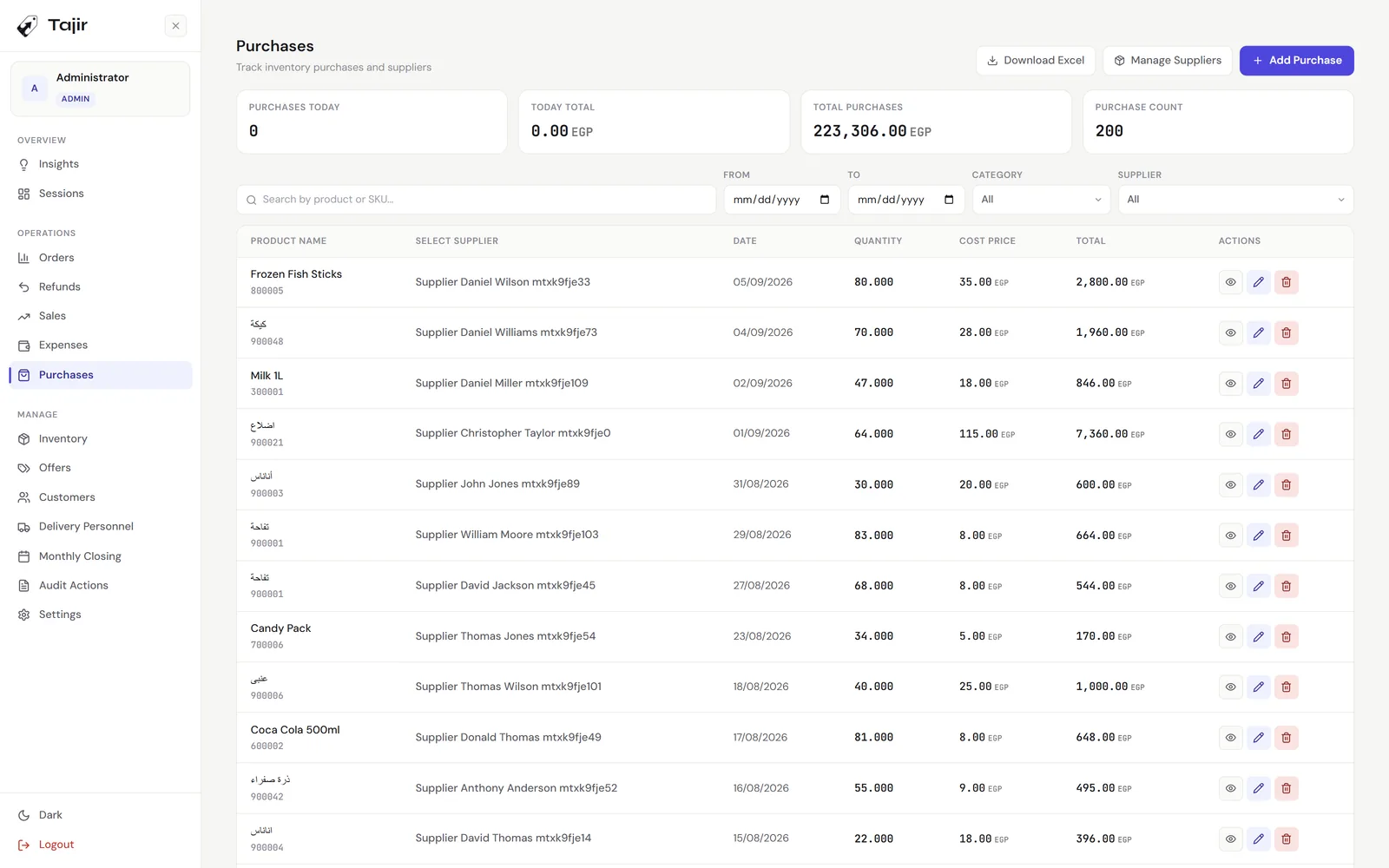
Tajir purchases: purchase totals, then each purchase with its product, supplier, date, quantity, cost price and total.
07 / Numbers

Reports and monthly closing

Know your numbers cold.

  • A dashboard with today’s sales, average order and low stock, and charts by category and payment method.
  • Top ten sellers, most-refunded products, and date presets from today to last year.
  • Orders filtered by payment, status, discount or type, exported with in-store, delivery and table sheets.
  • Styled Excel exports across 13 modules.
  • Monthly closing that freezes the period’s sales, purchases, expenses, refunds and revenue.
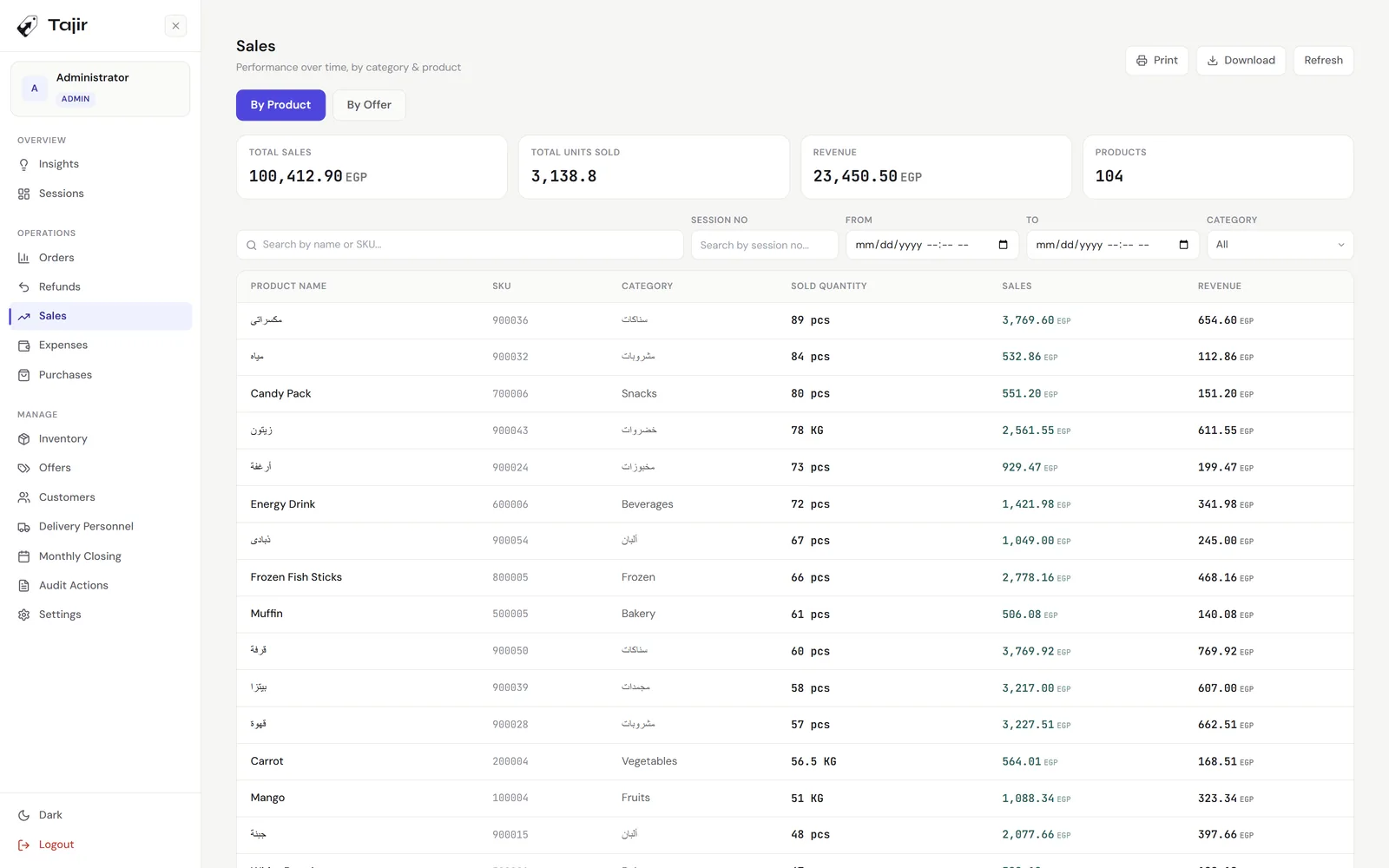
Tajir sales report: total sales, units sold and revenue, with each product’s sold quantity, sales and revenue.
08 / Mobile admin

Admin app for your phone

The whole store, in your pocket.

  • iOS and Android, 33 screens: dashboard, orders, refunds, shifts, sales, stock, purchases, expenses, customers, staff and the audit trail.
  • Live on the same feed as the tills, so a sale rung up at the counter shows on your phone as it happens.
  • Not just for looking. Add a product with its photo, record a purchase or an expense, set up an offer.
  • Review a closed shift, force-close one left open, and close the month without going in.
  • Create staff and grant who can approve discounts and deletions.
  • Export lists to a spreadsheet and send them from the share sheet. Arabic and English, light, dark and black.

Admin apps add-on · EGP 4,000 · mobile and desktop

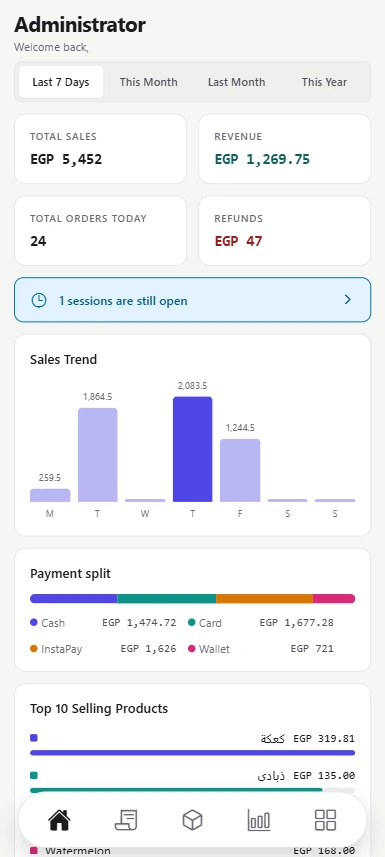
Tajir admin app on a phone: total sales, revenue, today’s orders and refunds, an open-shift alert, the week’s sales chart and the payment split.
09 / Admin desktop

Back office on any Windows PC

Run the store from home, not the stockroom.

  • The full admin side of Tajir with no till in it: dashboard, shifts, orders, refunds, sales, expenses, purchases, stock, offers, customers, delivery, monthly closing, audit and settings.
  • Reaches the shop over a Cloudflare tunnel or any link you give it. Nothing to activate on the admin PC.
  • Owner, admin and manager sign in. Cashier accounts are turned away, on desktop and on the phone.
  • Checks the shop is reachable before you sign in, and shows which edition and version the main till runs.
  • Save more than one store by name and switch between them. Each one keeps its own data.

Same add-on · EGP 4,000 covers both apps

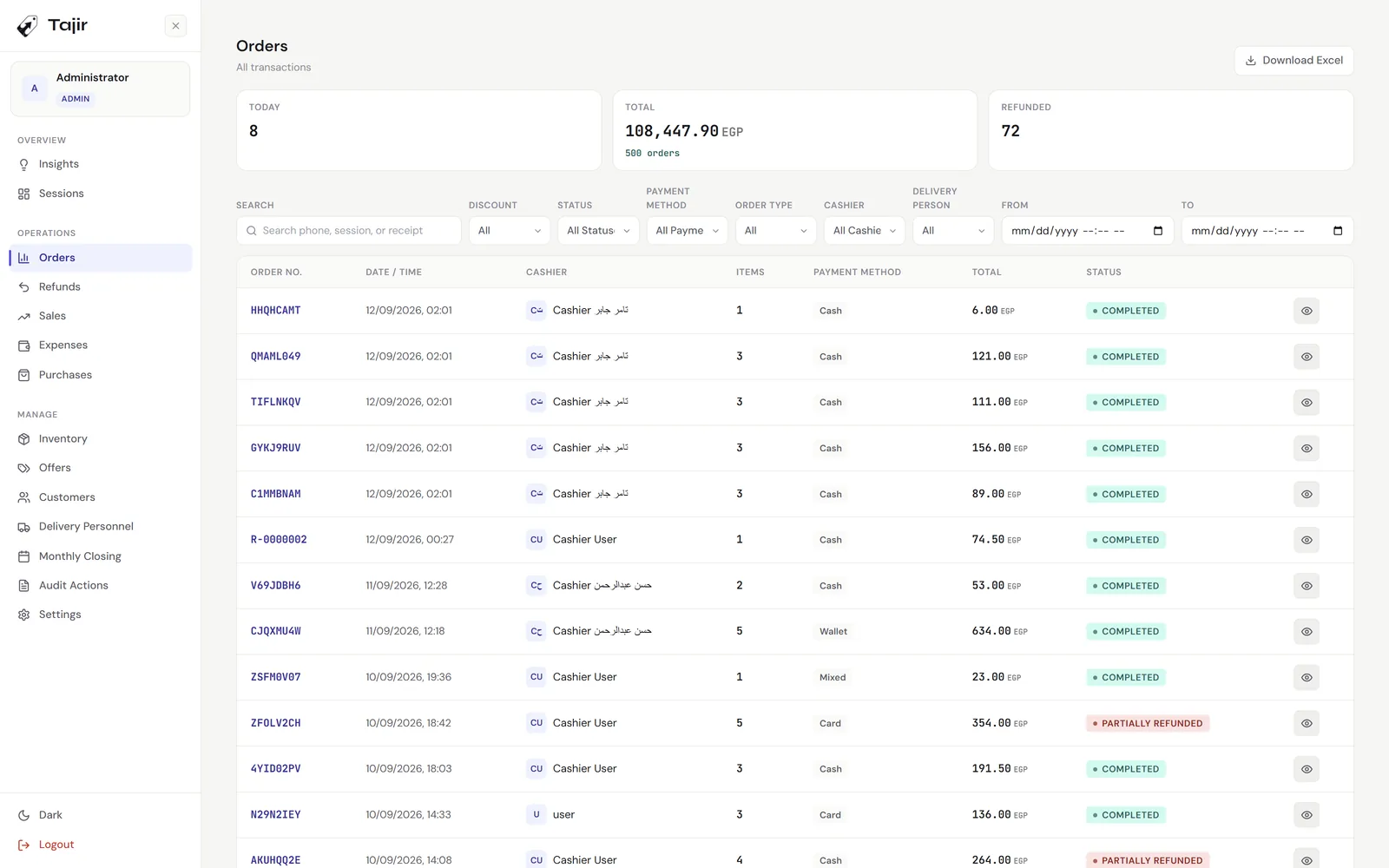
Tajir admin orders: today’s count, total and refunded, filters by discount, status, payment, order type, cashier and driver, and the order list with each status.
10 / Printing

Receipts and printers

Receipts that fit the paper.

  • 80 mm thermal receipts in Arabic or English, right-to-left included.
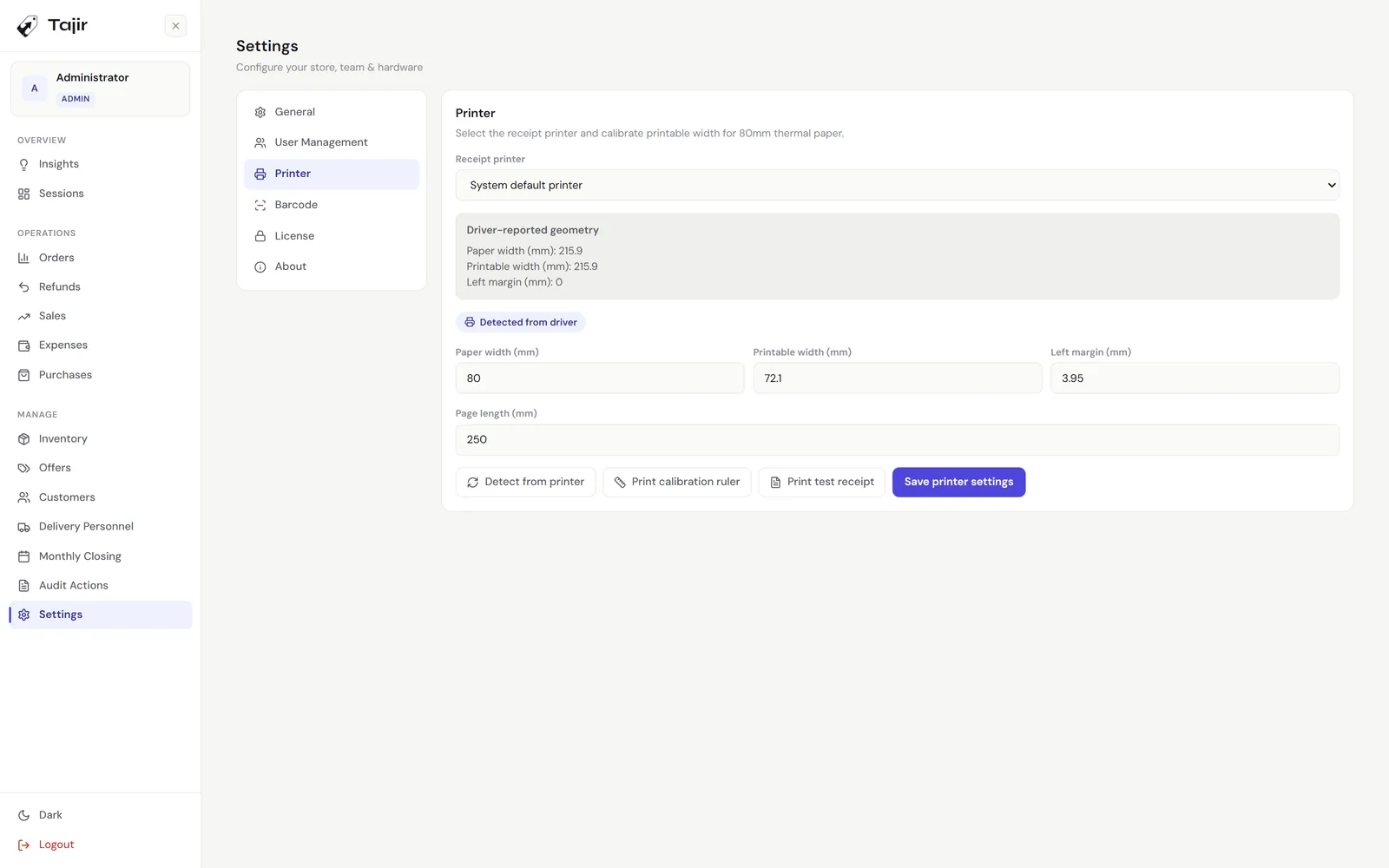
  • Paper size read from the printer driver, plus a calibration ruler and a test print.
  • Your logo, phone numbers, social links and footer, and your website as a link or a QR code.
  • Refund and shift-closing receipts, and a separate kitchen printer for Sufra.
  • In the cloud demo, receipts and kitchen tickets print to your own printer from the browser.
Tajir printer settings: receipt printer, the geometry detected from the driver, paper width, printable width, margin and page length.
Also in the box

The parts you don’t see at the counter.

  • Roles and permissions

    Owner, admin, manager and cashier. Managers create cashiers only, and approval rights are granted person by person.

  • Audit trail

    37 kinds of action logged with who, when, and the value before and after. Filter by person or action, export to Excel.

  • Extra tills

    Add tills on the same network. Stock, orders and sessions update on every screen in real time.

  • Tills page

    Every till slot on your licence and the machine bound to it. Activate a new till, unbind an old one, or sync now.

  • Backup and restore

    Owner-only backup to a .sql file, restore from one, and a reset that keeps your products and staff.

  • A licence that moves

    Activated once. If the machine dies, the licence transfers with a code read over the phone. No internet needed.

  • Arabic and English

    Every screen, receipt, kitchen ticket and Excel file in both languages, with light, dark and black themes.

  • Store settings

    Tax rate, refund window, discount cap, negative stock, daily order numbers, delivery fee rules and more.

Editions

Three ways to run Tajir.

Souq, Sufra and Mizan share the same core. Each adds what its counter needs, and each one can be tried in the demo store.

01 / Shops, groceries & minimarkets

Tajir Souq

The fast counter.

Barcodes, cash and card, delivery orders and stock that matches the shelf. The base every Tajir edition is built on.

  • Scan barcodes and SKUs, hold up to five orders at once
  • Cash, card, InstaPay, wallet or a split payment
  • Delivery orders with customers, regions and drivers
  • Bundle offers, purchases and low-stock alerts
One-time, per main till

EGP 8,000

Try it in the demo
Tajir Souq checkout: the product grid with prices and stock, and a filled cart with cash, electronic or mixed payment.
Tajir Souq inventory: stock value and low-stock counts, then every item with its cost, selling price, margin and quantity.
02 / Restaurants, cafés & juice bars

Tajir Sufra

The dining room.

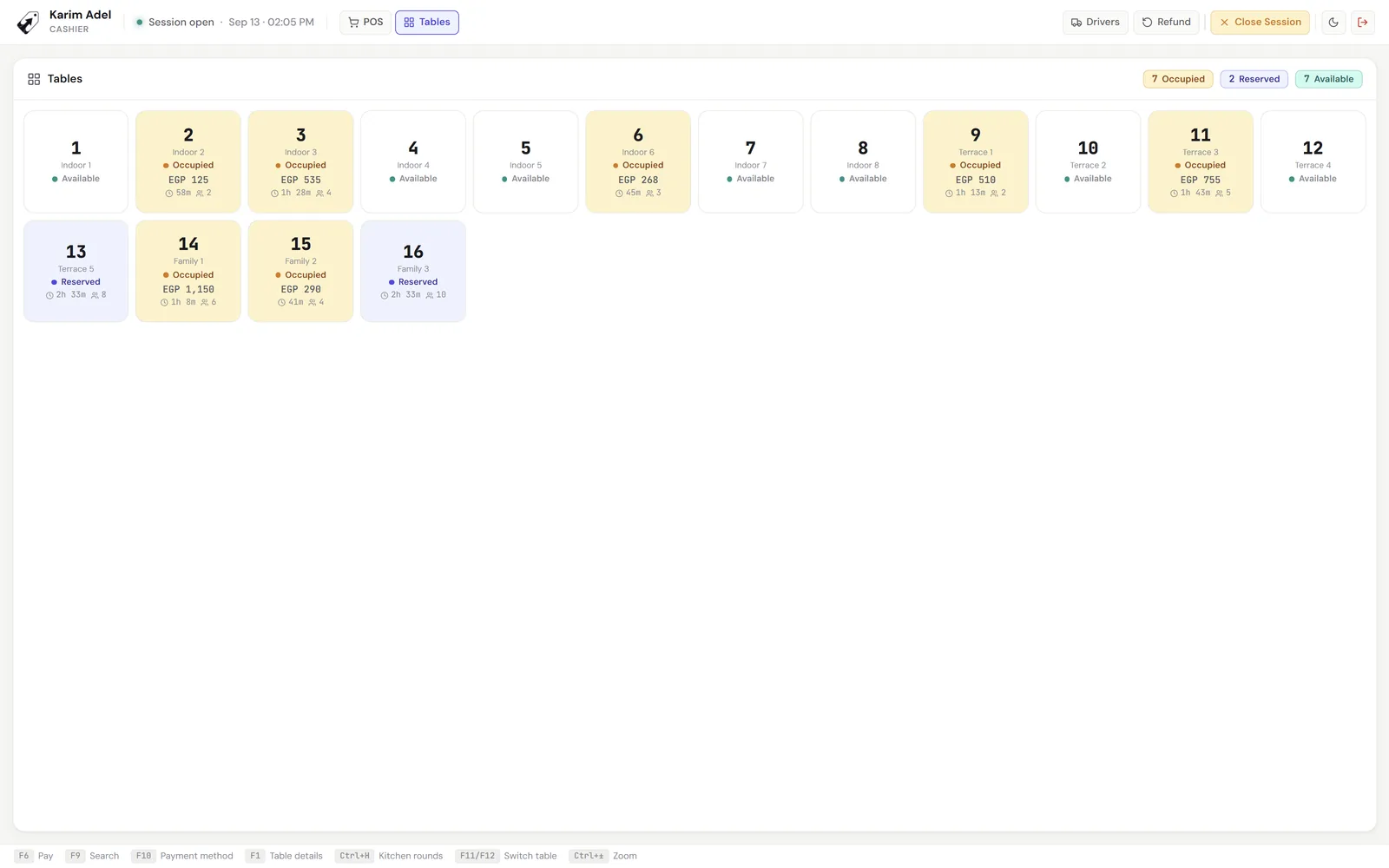
Everything in Souq, plus the floor: every table with its open check, kitchen tickets in rounds, and checks that move between tables.

  • Floor view: available, reserved or in service, with each running total
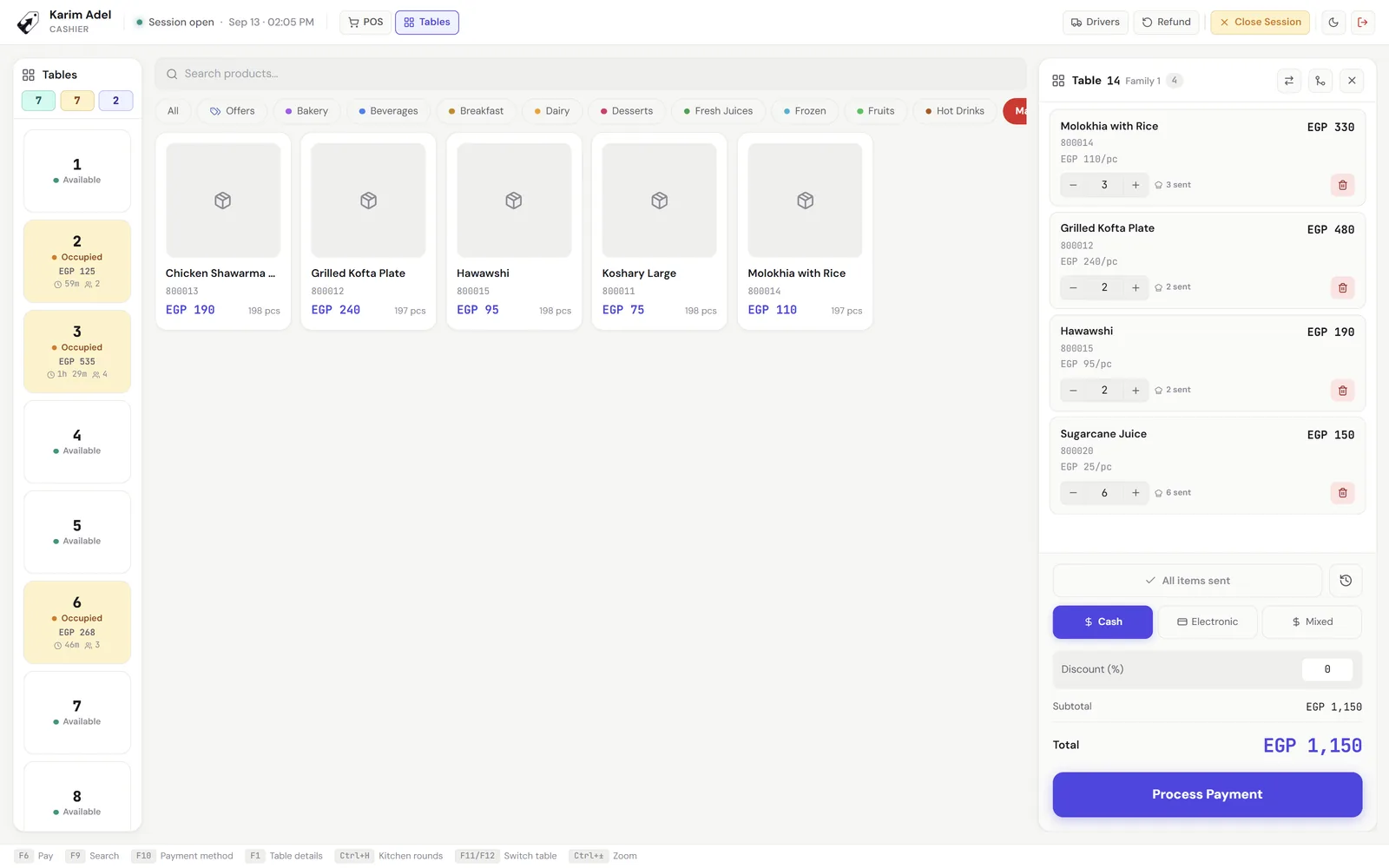
  • Kitchen rounds: only new items go on the next ticket
  • Move a check to another table, or merge two
  • Voids stay on record, and table items are held from the counter
One-time, per main till

EGP 10,000

Try it in the demo
Tajir Sufra floor: sixteen tables, each available, reserved or occupied, with its running total, time seated and guest count.
Tajir Sufra table check: the menu on one side and table 14’s items with how many were sent to the kitchen, then payment.
03 / Butchers, fresh food & delis

Tajir Mizan

The scale at the counter.

Everything in Souq, plus the scale: weight read live into the cart, so kilos are never typed in by guesswork.

  • Live weight from a serial or USB scale, straight into the cart
  • Generic ASCII and Mettler-Toledo SICS scales
  • A lock so kilos can’t be typed by hand after weighing
  • Weight barcodes from a labelling scale scan straight in
One-time, per main till

EGP 8,000

Try it in the demo
Tajir Mizan counter in Arabic: a cart of items sold by the kilo with their weights, next to the product grid.
Tajir Mizan scale settings: protocol, baud rate, parity, read mode and a test read of the scale.

Extra till of the same edition: EGP 4,000. A different edition is priced in full, so Souq plus Sufra is EGP 8,000 + 10,000. Admin apps, mobile and desktop, for monitoring the store from anywhere: EGP 4,000. One-time payment. No subscription, no feature tiers.

Commercial terms

Buy once.
Activate once.

Software built for independent commerce shouldn’t hold your ledger hostage for a monthly recurring rent.

Payment
One-time
Activation
Once, on install
Internet required
No
Trial
14 days, full features
Machine change
Transfers by phone code, offline
Admin apps (mobile + desktop)
EGP 4,000 add-on
Feature tiers
None
Co-development

Want to be a design partner?

We’d rather ship with three honest operators in the loop than thirty silent ones.

Tell us about your shop